

Meal prep subscribers do not always cancel because the food failed.
Sometimes they are on holiday.
Sometimes this week’s menu does not fit.
Sometimes they need five meals instead of ten.
Sometimes they want chicken instead of beef.
Sometimes they need a short break, not an exit.
That is why meal kit subscription flexibility matters. A customer who cannot express a temporary problem through the website may use the only control they can find: cancel.
The website either listens or it does not.
Skip, swap, pause, and resize are not decorative customer-account features. They are the four controls that let a meal prep subscription bend around real life without breaking the operating model behind it.
Built poorly, they create confusion, wrong meals, late edits, billing disputes, and support tickets.
Built well, they protect both sides: customer flexibility and kitchen certainty.
Why does meal kit subscription flexibility matter?
Meal kit subscription flexibility matters because prepared food is tied to weekly routine. Customers need meals when their schedule, appetite, household, diet, training, budget, and delivery timing line up. When one of those changes, the subscription must offer an adjustment before cancellation becomes the easiest option.
Meal prep is more sensitive than many subscription categories.
A customer can often keep extra coffee beans in the cupboard. They can let skincare sit unopened. They can delay using supplements. But prepared meals are different. They take fridge or freezer space, arrive on a schedule, and are consumed quickly.
That makes temporary mismatch common.
| Customer situation | Better control than cancel |
| Away for a week | Skip |
| This week’s menu does not fit | Swap |
| Needs a longer break | Pause |
| Too many meals each week | Resize |
| Budget pressure | Resize or pause |
| Work travel | Skip or pause |
| Training phase changed | Swap or resize |
| Family schedule changed | Resize |
| Fridge is full | Skip |
| Delivery date conflict | Skip or schedule change |
NZ providers already make flexibility visible. MealPrep.nz says subscribers can skip a week, swap meals, and change delivery address, and its meal plan portal invites customers to swap meals, skip a week, or change delivery schedule.
That visibility matters because flexibility is now part of the expected subscription experience.
The challenge is not adding buttons. The challenge is making the buttons behave correctly.
Skip, swap, pause, and resize are four different controls
Skip, swap, pause, and resize are four different controls because each solves a different customer problem and changes a different part of the operating system. Treating them as one vague “manage subscription” feature creates confusion for customers and staff.
| Control | Customer meaning | System meaning |
| Skip | I do not need this delivery | Remove one cycle from billing, production, and delivery |
| Swap | I want different meals | Change meal selection before the cut-off |
| Pause | I need a longer break | Suspend future cycles until restart |
| Resize | I need more or fewer meals | Change plan quantity for current or future cycles |
The customer sees convenience.
The kitchen needs precision.
If a customer skips, the order should leave this week’s production count. If they swap, the meal counts should update. If they pause, the next active delivery should be clear. If they resize, billing, plan rules, packing, and production should change correctly.
This is why flexibility needs system logic.
A subscription platform can support common actions such as skip, pause, change, or cancel. The Shredded Kitchen’s subscription policy says customers can manage everything from their account and skip, pause, change, or cancel before the cut-off.
But meal prep requires those actions to respect food production.
Cause 1: Customers cancel when skip is hard to find
The first cause is that customers cancel when skip is hard to find. If the customer only needs one week off but cannot quickly skip the right delivery, cancellation becomes a self-defence action.
Skip is the smallest flexibility control with one of the clearest retention jobs.
It says:
“You can miss this week without leaving.”
A poor skip flow creates risk when:
- The skip button is hidden.
- The customer cannot choose the exact week.
- The customer does not know whether billing will pause.
- The next active delivery is unclear.
- The skip applies to the wrong cycle.
- Skip is allowed after the kitchen has locked production.
- Staff cannot see skipped customers in production reports.
- The customer receives meals after skipping.
- The customer has to contact support for a routine skip.
A good skip flow must update more than the customer account.
| System layer | What skip should update |
| Customer account | Show skipped delivery and next active delivery |
| Billing | Apply the provider’s skip billing rule |
| Production | Remove meals from this cycle |
| Delivery | Remove delivery from route or dispatch view |
| Confirm skip and return date | |
| Analytics | Track skip and return behaviour |
| Support | Show the customer is skipped, not cancelled |
FED’s FAQ gives a practical customer-side example: if customers have ordered too many dishes, are heading away, or feel like skipping the next order, they can log into their account and use the buttons to skip, pause, or cancel.
That language recognises the real problem. The customer is not always leaving. They may just need this week removed.
Effect 1: Skip should engineer the return
Because customers cancel when skip is hard to find, skip should engineer the return. The confirmation should not only say “skipped.” It should show the next active delivery and the next edit deadline.
A strong skip confirmation might say:
“You have skipped your Monday 7 September delivery. Your next active delivery is Monday 14 September. You can edit meals until Wednesday 9 September at 9 pm.”
That message does four things:
- Confirms the correct delivery was skipped.
- Reassures the customer that the subscription remains active.
- Shows when the customer returns.
- Pulls the customer back into the next menu cycle.
A good skip workflow:
- Shows upcoming deliveries.
- Lets the customer select the exact delivery.
- Shows the cut-off.
- Explains billing.
- Confirms the next active delivery.
- Updates production counts.
- Sends a reminder before the next menu closes.
- Tracks whether the customer returns.
Skip should not feel like a mini cancellation. It should feel like a planned break.
Cause 2: Customers churn when swap does not fix menu mismatch
The second cause is that customers churn when swap does not fix menu mismatch. A subscriber may still want the service but dislike this week’s default meals, need a different dietary fit, or want more variety.
Swap solves a different problem from skip.
Skip says, “I do not need meals this week.”
Swap says, “I still need meals, but not those meals.”
That distinction matters because menu mismatch is not the same as subscription rejection.
A poor swap flow creates friction when:
- Customers cannot see alternatives.
- Sold-out meals remain selectable.
- Dietary tags are unreliable.
- Meal swaps are allowed after the cut-off.
- Swaps update the customer view but not the kitchen count.
- Price differences are unclear.
- Swaps apply to the wrong delivery cycle.
- The customer has to email support for normal meal changes.
MealPrep.nz says the first delivery is Chef’s Choice, then from delivery two onwards customers can swap any meal in their account up to the weekly cut-off. Real Food Kitchen says subscribers can skip or swap meals freely and change meal selections anytime before the cutoff.
That cut-off matters. Swap is helpful only while the kitchen can still act on it.
Effect 2: Swap should be menu-cycle aware
Because swap solves menu mismatch, it must be menu-cycle aware. The system should know which meals belong to the current week, which are available, which are sold out, which fit the plan, and which can still be changed before production locks.
A strong swap workflow asks:
| Question | Why it matters |
| Which delivery is being edited? | Prevents wrong-cycle changes |
| Has the cut-off passed? | Protects production |
| Is the replacement meal available? | Prevents overselling |
| Does it fit the customer’s plan size? | Keeps subscription rules intact |
| Does it match dietary preferences? | Protects trust |
| Is there a price difference? | Prevents billing disputes |
| Has the kitchen count updated? | Prevents wrong production |
| Has packing view updated? | Prevents missed meals |
A good swap flow should show:
- Current meal selection.
- Available alternatives.
- Sold-out status.
- Dietary tags.
- Cut-off warning.
- Plan quantity remaining.
- Price difference if any.
- Confirmation after change.
Swap is not a product-grid feature. It is a production event.
If the kitchen cannot trust the updated counts, the swap feature is underbuilt.
Cause 3: Customers disappear when pause has no restart logic
The third cause is that customers disappear when pause has no restart logic. Pause is useful when a customer needs more than one skipped week, but a pause without a return path can become silent churn.
Pause solves longer temporary breaks:
- Travel.
- School holidays.
- Work roster changes.
- Surgery or recovery.
- Family visiting.
- Moving house.
- Budget pressure.
- Training break.
- Dietary reset.
- Temporary cooking-at-home phase.
A poor pause flow creates risk when:
- Pause is indefinite by default.
- No restart date is requested.
- The customer does not know billing status.
- The next active delivery is not shown.
- There is no reminder before restart.
- Pause applies to the wrong cycle.
- Staff cannot distinguish paused from cancelled.
- The customer forgets the provider exists.
Generic subscription flexibility advice often frames pause and skip as ways to avoid making cancellation the only option for temporary needs, including meal-kit scenarios such as work travel.
For meal prep, that principle is especially relevant because customers’ food routines change frequently.
Effect 3: Pause should create a controlled break
Because pause can become silent churn, it should create a controlled break. The customer should choose the pause start, pause length, restart date if known, and receive a reminder before resuming.
A strong pause flow offers:
| Pause option | Why it helps |
| Pause for 1 week | Short break |
| Pause for 2 to 4 weeks | Holiday or work travel |
| Pause until date | Clear return point |
| Pause indefinitely | Uncertain situation |
| Resume now | Easy early return |
| Reminder before restart | Prevents surprise |
| Edit before restart | Reconnects customer to menu |
| Pause reason | Helps retention learning |
The best pause confirmation says:
- Pause start date.
- Pause end date or indefinite status.
- Whether billing stops.
- Next active delivery.
- Next charge date.
- How to resume.
- How to cancel if needed.
Pause should not be used to hide cancellation. It should be a clear alternative for customers whose need may return.
Trust is the retention asset.
Cause 4: Customers cancel when plan size stops fitting
The fourth cause is that customers cancel when plan size stops fitting. A subscriber who needs fewer meals may not want to leave. They may simply need to resize.
Resize is often underbuilt because platforms treat subscription quantity as a product setting rather than a life-fit control.
But meal prep customers’ needs change:
| Change in life | Resize need |
| Working from home less | Fewer lunches |
| Training more | More meals or larger portions |
| Family schedule changed | More dinners or fewer meals |
| Budget pressure | Smaller plan |
| Food waste at home | Fewer meals |
| Busy season | More meals temporarily |
| Partner travelling | Smaller household plan |
| Recovery period | More simple meals |
| School holidays | Different meal quantity |
| Diet goal changed | Different plan size |
A customer who is receiving too much food may cancel to stop waste. A customer who needs more food may drift to another provider that makes expansion easier.
Resize solves both problems.
Fit For Purpose says customers can change their meal prep package or cancel their plan at any time, and Fresh Chef says subscription-box frequency can arrive every 1, 2, 3, or 4 weeks and can be changed before the next order.
That shows quantity and cadence flexibility are visible customer expectations, not edge cases.
Effect 4: Resize should be easier than cancel

Because plan size mismatch can cause cancellations, resize should be easier than cancel. If a customer clicks cancel and chooses “too many meals” or “too expensive,” the website should offer a smaller plan before final cancellation, without blocking the exit.
A strong resize workflow should handle:
| Resize condition | System response |
| Before cut-off | Let customer change current or next delivery if policy allows |
| After cut-off | Apply resize to next cycle |
| Larger plan | Check meal availability and billing |
| Smaller plan | Remove meals and update billing |
| Different frequency | Update delivery schedule and next charge |
| Temporary resize | Apply for one cycle only if supported |
| Permanent resize | Update subscription defaults |
| Cancellation reason says “too much” | Offer smaller plan |
| Cancellation reason says “budget” | Offer lower plan or frequency |
Resize must be clear about timing.
If the current order is already locked, the customer should see:
“This change will apply from your next delivery.”
A resize that silently affects the wrong week creates the same trust problem as a bad skip or swap.
Why these four controls must connect to the cut-off
Skip, swap, pause, and resize must connect to the cut-off because every flexibility action can change production, billing, packing, or delivery. The cut-off is the boundary between safe self-service and staff-controlled exception.
Before the cut-off:
- Skip can remove the order.
- Swap can change meals.
- Pause can begin with the current cycle if policy allows.
- Resize can update quantity if operationally safe.
After the cut-off:
- Skip may apply to next cycle.
- Swap may be blocked or routed to support.
- Pause may apply to future deliveries only.
- Resize may start next week.
Healthkicks says subscribers can pause, skip, or cancel anytime up until the Monday 6 pm cutoff, and FED says once an order has generated, meal swaps cannot be made.
Those examples show the core rule: flexibility has a deadline.
A customer-friendly website should not pretend otherwise. It should make the deadline visible and enforce it consistently.
What a flexible customer portal should show
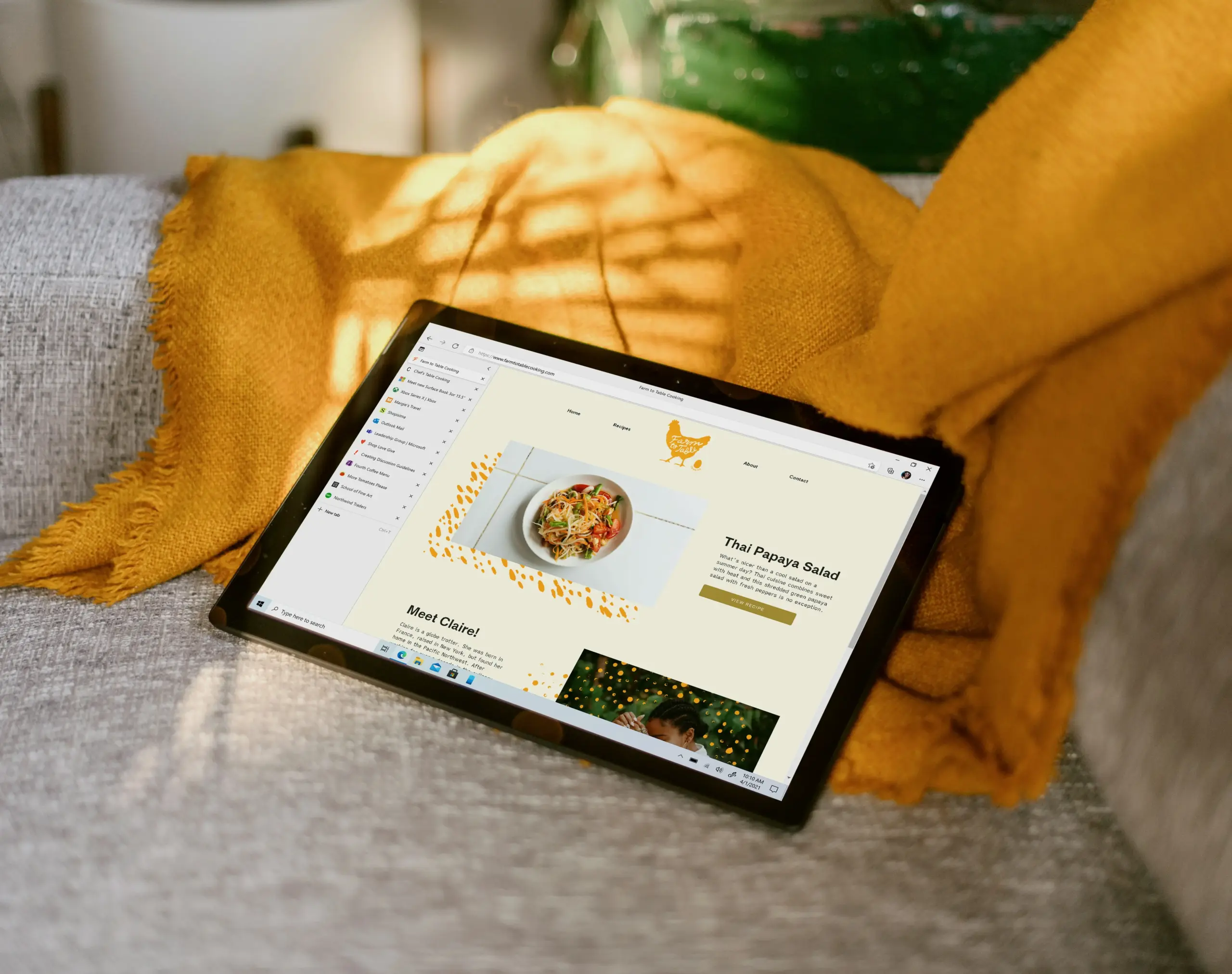
A flexible customer portal should show upcoming deliveries, meal choices, edit deadline, skip, swap, pause, resize, billing status, next charge, delivery address, and the effect of each action before confirmation.
The customer should be able to answer:
| Customer question | Portal answer |
| What am I getting next? | Upcoming meal list |
| Can I still edit it? | Cut-off date and time |
| Can I skip this delivery? | Delivery-specific skip control |
| Can I swap meals? | Current menu alternatives |
| Can I pause? | Pause duration and restart date |
| Can I resize? | Plan-size or frequency options |
| When will I be charged? | Next billing date |
| What happens after this change? | Clear confirmation |
| Which delivery is affected? | Current or future cycle label |
| How do I cancel? | Clear cancellation path |
Shopify’s subscription documentation says customer accounts can support actions such as skip, pause, resume, cancel, payment management, shipping address management, and subscription management.
Meal prep providers need to extend that general flexibility into meal-specific logic.
The portal should not only let customers click. It should tell them exactly what each click changes.
What staff should see behind the controls
Staff should see flexibility controls as operational states. A customer action should update kitchen, support, billing, and delivery views without staff having to interpret order notes manually.
Staff need to know:
| Staff view | Why it matters |
| Skipped this week | Remove from production and delivery |
| Paused until date | Keep out of future cycles until return |
| Swapped meals | Update production counts |
| Resized plan | Change meal quantity and billing |
| Late-change request | Decide manually if allowed |
| Payment issue | Hold or recover before production |
| Address change | Validate delivery impact |
| Cancellation reason | Offer better alternative next time |
| Return date | Trigger reminder |
| Changed after cut-off | Apply to future cycle only |
If the customer portal says one thing and the kitchen report says another, the system is not flexible. It is fragile.
The best flexibility controls make staff more confident, not less.
Why flexibility should not become chaos
Flexibility should not become chaos because meal prep has real production constraints. Customers need control, but the kitchen needs stable counts, ingredients, labels, packing lists, and delivery planning.
Good flexibility has rules.
Poor flexibility says:
“Change anything anytime.”
Good flexibility says:
“Change anything before this deadline. After that, we will apply changes to your next delivery or review exceptions manually.”
That difference protects trust.
A customer may accept a deadline when it is clear. They lose trust when the website appears to accept a change that the kitchen cannot fulfil.
Flexibility should be:
- Visible.
- Specific.
- Deadline-aware.
- Confirmed.
- Connected to billing.
- Connected to production.
- Connected to delivery.
- Measured.
It should not be vague freedom.
How to measure whether flexibility is working
Providers should measure flexibility by looking at skip return rate, pause return rate, swap activity, resize activity, cancellation after failed flexibility, late-change requests, support contacts, and retention by customer segment.
Useful metrics include:
| Metric | What it reveals |
| Skip rate | How often customers need short breaks |
| Skip return rate | Whether skip preserves the relationship |
| Pause rate | How often customers need longer breaks |
| Pause return rate | Whether pause becomes silent churn |
| Swap rate | Whether customers are improving menu fit |
| Resize rate | Whether plan size is too rigid |
| Downsize retention | Whether smaller plans save customers |
| Upsize revenue | Whether customers expand when needs grow |
| Cancellation after skip attempt | Whether skip UX is broken |
| Cancellation reason: too many meals | Whether resize should appear sooner |
| Support tickets after cut-off | Whether deadline communication is weak |
| Late swap attempts | Whether reminders are too late |
This connects directly to the upstream article on the subscription mechanics every meal prep website must get right. Link to T2-B1 using anchor text such as “the subscription mechanics every meal prep website must get right.”
Flexibility should not be judged only by how many people use the buttons. It should be judged by whether fewer temporary problems become permanent exits.
How to build skip properly
Build skip as a one-cycle schedule change with a visible return.
Minimum requirements:
- Delivery-specific skip button.
- Cut-off check.
- Billing effect.
- Production removal.
- Delivery removal.
- Confirmation email.
- Next active delivery.
- Return reminder.
- Staff visibility.
- Analytics event.
Avoid:
- Generic “skip next order” language when multiple cycles exist.
- No return date.
- Skip after production lock without warning.
- Skip that does not update kitchen counts.
- Treating skip as cancellation.
Skip should say, “Not this week, but still with us.”
How to build swap properly
Build swap as a menu-cycle selection change.
Minimum requirements:
- Current selected meals.
- Available replacements.
- Sold-out logic.
- Dietary tags.
- Cut-off check.
- Plan-size rules.
- Price difference if relevant.
- Production-count update.
- Packing-list update.
- Confirmation.
Avoid:
- Swaps after lock.
- Swaps that ignore dietary filters.
- Swaps that do not update staff reports.
- Swaps that apply to the wrong week.
- Vague confirmation.
Swap should say, “This week still works, just with different meals.”
How to build pause properly
Build pause as a controlled break with restart logic.
Minimum requirements:
- Pause start date.
- Pause duration.
- Restart date or indefinite option.
- Billing explanation.
- Current locked-order rule.
- Resume button.
- Reminder before restart.
- Pause reason.
- Staff status.
- Analytics event.
Avoid:
- Indefinite pause by default.
- No reminder.
- No billing clarity.
- Using pause to hide cancellation.
- Treating paused customers as lost customers.
Pause should say, “Take a break and come back when the routine fits again.”
How to build resize properly
Build resize as a plan-fit control, not an admin request.
Minimum requirements:
- Current plan size.
- Available smaller and larger plans.
- Frequency options if supported.
- Current-cycle versus next-cycle timing.
- Billing change.
- Meal count update.
- Production update.
- Confirmation.
- Cancellation interception when reason is “too many meals” or “budget.”
- Analytics event.
Avoid:
- Forcing customers to cancel and resubscribe.
- Making resize support-only.
- Applying resize to locked orders without warning.
- Hiding lower plans.
- Ignoring frequency as a flexibility lever.
Resize should say, “You can change the shape of the subscription instead of ending it.”
What should providers avoid?
Providers should avoid hidden flexibility controls, vague deadlines, after-cut-off edits, support-only routine changes, unclear billing effects, no return dates, and customer actions that do not update kitchen systems.
Avoid:
- “Manage subscription” pages with unclear action labels.
- Skip without next active delivery.
- Swap without production update.
- Pause without restart logic.
- Resize without billing clarity.
- Change buttons after cut-off that appear to affect the current order.
- Cancellation flows that do not offer relevant flexibility.
- Flexibility controls that are only available by email.
- Staff spreadsheets that override the portal.
- Measuring cancellations without measuring failed flexibility.
Flexibility is only useful when customers and staff can trust it.
Key Takeaways
- Meal kit subscription flexibility is a retention system, not a set of customer-account buttons.
- Skip, swap, pause, and resize solve four different customer problems.
- Skip handles one missed delivery and should always make the return visible.
- Swap handles menu mismatch and must update meal counts before the cut-off.
- Pause handles longer temporary breaks and needs restart logic.
- Resize handles plan-size mismatch and should be easier than cancellation.
- Each control must connect to cut-off rules, billing state, production counts, delivery planning, staff views, and analytics.
- Flexibility should reduce avoidable churn without creating kitchen chaos.
- Customers should always know which delivery is affected and whether the change applies now or next cycle.
- The best flexibility design lets customers bend the routine instead of breaking the relationship.
Meal prep subscriptions fail when the website cannot hear ordinary life changes. Skip, swap, pause, and resize are the listening controls. They turn “I need something different this week” into an adjustment instead of an exit.