

When a sneaker does not arrive, the customer waits.
When a meal prep box does not arrive on Sunday, the customer still needs dinner.
That is why perishable delivery failure handling is different from ordinary ecommerce support. The problem is not only that a parcel is late. The customer has lost a planned meal occasion. The food may no longer be safe. The provider may need to decide whether to replace, refund, credit, escalate, or mark the delivery as customer-risk. The customer may decide whether the subscription is still reliable enough to keep.
A generic ecommerce workflow might say:
“Your parcel is delayed. Please allow another business day.”
A meal prep workflow needs to ask:
“Is the food still safe, what does the customer eat tonight, who is responsible, and how do we preserve trust before the next billing cycle?”
That is a different system.
Why is perishable delivery failure handling different?
Perishable delivery failure handling is different because prepared meals have time, temperature, food-safety, and meal-planning constraints. A delayed or missed delivery can affect whether the food is safe to eat, whether the customer has food for the week, and whether they trust the subscription enough to continue.
Ordinary ecommerce delays are frustrating. Meal prep delays are operationally sharper.
| Ordinary ecommerce | Meal prep ecommerce |
| Customer can often wait | Customer may need food tonight |
| Product is usually durable | Product may be chilled, frozen, or time-sensitive |
| Delivery delay may not damage product | Delay can affect safety and quality |
| Replacement can be sent later | Replacement may miss the meal occasion |
| Support can respond next day | Customer may need same-day clarity |
| Failed delivery affects one order | Failed delivery can trigger subscription doubt |
| Carrier tracking may be enough | Temperature, packaging, and delivery state also matter |
MPI’s online food safety guidance says buyers should check use-by dates, allergen warnings, and storage instructions, and that chilled and frozen products should arrive chilled or frozen and be packaged appropriately for temperature control.
That single requirement changes the support workflow.
The question is not only “Where is the parcel?”
The question is “Can this food still be trusted?”
The five failure categories every website must handle
A meal prep website should classify delivery failures into five MECE categories: late delivery, missed delivery, wrong address or inaccessible delivery, temperature or packaging concern, and wrong or incomplete order. Each category needs a different workflow, customer message, and operational response.
| Failure category | Primary risk | First system question |
| Late delivery | Food safety and lost meal occasion | Is the food still within safe delivery conditions? |
| Missed delivery | Customer has no meals | Was delivery attempted, failed, or never dispatched? |
| Wrong address or access issue | Responsibility and redelivery | Was the address or instruction valid? |
| Temperature or packaging concern | Safety and quality | Did food arrive chilled, frozen, sealed, and undamaged? |
| Wrong or incomplete order | Trust and meal fit | What item is missing or wrong, and can it be corrected? |
These categories should not be mixed together.
A late delivery may require a food-safety decision. A wrong address may require policy enforcement. A damaged chilled box may require immediate disposal guidance. A missing meal may require credit, refund, or replacement. A failed courier scan may require investigation before decision.
If all issues enter the same “contact us” inbox, the provider loses speed.
Meal prep delivery support needs triage.
Category 1: Late delivery
Late delivery means the order is still in transit or arrives later than expected. For meal prep, the key issue is whether the food remained safe and suitable during the delay.
A late delivery workflow should ask:
| Question | Why it matters |
| What was the promised delivery date or window? | Establishes expectation |
| When did the parcel leave the kitchen? | Starts the time-in-transit clock |
| Was it chilled or frozen? | Determines safety concern |
| What packaging was used? | Determines temperature protection |
| Was it stored chilled by the carrier? | Affects safety and quality |
| Has the customer received it yet? | Determines next action |
| Did it arrive cold, frozen, or warm? | Drives disposal or accept guidance |
| Is there tracking evidence? | Supports carrier escalation |
NZ meal providers already publish time-sensitive delivery language. Fitfood says its packaging is designed to keep meals cool for 48 hours and notes that when delays occur, NZ Post may endeavour to refrigerate parcels overnight but this is not guaranteed. EAT says meals not delivered within 36 hours of leaving its premises are considered unsafe and destroyed unless NZ Post stores them in a chilled environment, after which it discusses replacement or refund.
Those examples show why the website needs a clear late-delivery state. “Delayed” is not enough. The system needs to know whether the delay has crossed the provider’s safety threshold.
Website workflow for late delivery
A late-delivery workflow should:
- Pull tracking status.
- Compare time since dispatch with the provider’s safe delivery window.
- Ask whether the customer has received the meals.
- If received, ask whether meals arrived chilled, frozen, sealed, and undamaged.
- If not received, show the current escalation path.
- If safe window is exceeded, give clear do-not-consume guidance if policy requires it.
- Route to replacement, refund, credit, or support review.
- Trigger subscription-retention follow-up.
The customer should not have to guess.
Category 2: Missed delivery
Missed delivery means the customer expected meals but did not receive them. The cause may be courier failure, dispatch error, driver access issue, wrong address, customer not available, or delivery instruction problem.
For meal prep, missed delivery is urgent because the customer may have planned the week’s food around the order.
A missed-delivery workflow should separate four states:
| State | Meaning |
| Not dispatched | Provider-side fulfilment issue |
| Dispatched but delayed | Carrier issue still in progress |
| Delivery attempted but failed | Access, address, or customer availability issue |
| Marked delivered but not received | Proof-of-delivery and location issue |
Each state needs different communication.
Consumer Protection NZ says it is the seller’s responsibility to sort out delivery problems with carrier services they arrange, such as a courier used by an online shopping site.
That means the customer should not be pushed into a courier maze without support. The provider can still have customer-responsibility rules for wrong address, inaccessible delivery, or rural risk, but the website should explain the process clearly.
Website workflow for missed delivery
A missed-delivery workflow should:
- Ask for order number and delivery postcode.
- Pull fulfilment status.
- Show whether order was dispatched.
- Show delivery tracking and proof if available.
- Ask whether customer checked safe-drop location, reception, mailbox area, or building instructions.
- Classify issue as provider, carrier, customer-address, access, or unresolved.
- Give immediate food-plan expectation: replacement today, replacement later, refund, credit, or support review.
- Log the issue against the subscription.
The last step matters. If a customer misses meals once, the provider should treat them as at-risk before the next renewal.
Category 3: Wrong address or inaccessible delivery
Wrong address or inaccessible delivery means the meals could not be delivered because of incorrect information, a missing unit number, a locked building, rural limitation, absent authority-to-leave, security access, or unclear instructions.
This category needs careful policy because responsibility may sit with the customer, the carrier, or the provider depending on what happened.
A website should not wait until failure to collect delivery detail.
It should validate:
- Street address.
- Unit or apartment number.
- Suburb.
- Postcode.
- Delivery zone.
- Rural or urban status.
- Authority to leave.
- Safe-drop location.
- Gate code.
- Building access.
- Phone number.
- Delivery notes.
- Business reception hours if relevant.
Some NZ providers are explicit about delivery limitations. SwoleFoods says rural delivery is at the customer’s risk and that it cannot refund or redeliver if rural meals are not delivered by NZ Post. NZ Post’s service terms also discuss restrictions and requirements for perishable items, including that perishable items may require specific written agreement in courier-service contexts.
The lesson is not that every provider should copy those terms. The lesson is that perishable delivery constraints must be visible before checkout.
Website workflow for wrong address or access issue
A wrong-address workflow should:
- Identify whether the customer entered the address.
- Check whether the website validated the delivery zone.
- Check whether the courier followed instructions.
- Check proof-of-delivery, attempted-delivery scan, or driver note.
- Determine whether redelivery is safe.
- Apply the provider’s policy.
- Explain the decision clearly.
- Prompt the customer to update address or instructions before the next order.
A good resolution message might say:
“We could not complete delivery because the courier could not access the building and no authority-to-leave location was available. Please update delivery instructions before your next order. Because this is chilled food and we cannot verify safe handling after the failed attempt, the current order cannot be redelivered.”
The wording should be adapted to the provider’s actual policy.
Category 4: Temperature or packaging concern
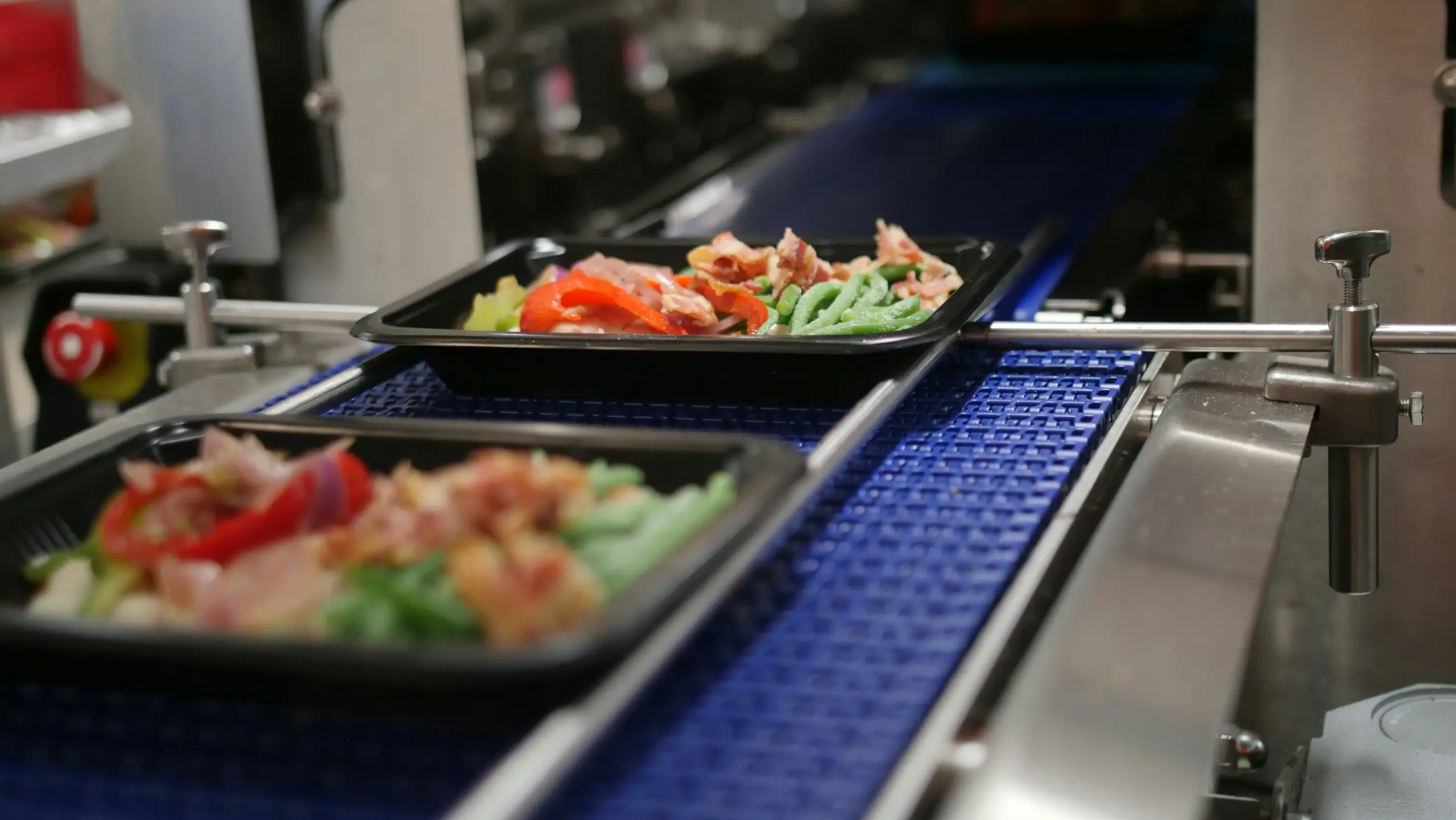
Temperature or packaging concern means the meals arrived warm, thawed beyond policy, damaged, leaking, unsealed, swollen, or otherwise questionable. This is the most safety-sensitive category.
The website must handle it faster than ordinary support.
A customer should be able to report:
- Box arrived warm.
- Ice packs melted.
- Meals not chilled.
- Frozen meals thawed.
- Packaging damaged.
- Meal tray broken.
- Seal open.
- Liquid leaking.
- Unclear use-by date.
- Missing storage instructions.
- Suspicious smell or appearance.
MPI’s 2026 online food safety tips ask consumers to check whether food will arrive at the right temperature, such as hot, chilled, or frozen, depending on the product. FSANZ guidance for food delivery says cold food should be at or below 5°C and frozen food should be frozen solid, and insulated bags or eskies can help maintain safe temperatures during delivery.
For a meal prep provider, that means the website should not give vague reassurance when the customer reports temperature failure.
Website workflow for temperature or packaging concern
A temperature-concern workflow should:
- Ask when the box was received.
- Ask whether food arrived chilled, frozen, or warm.
- Ask whether packaging was damaged, leaking, or open.
- Ask for photos.
- Ask whether the customer placed meals into refrigeration immediately.
- Compare issue against the provider’s safety policy.
- Give clear guidance: store, use, do not consume, or wait for support.
- Escalate high-risk cases immediately.
- Record batch, route, courier, packaging type, and dispatch time.
- Trigger replacement, refund, credit, or investigation.
If the provider cannot verify safety, the website should not pressure the customer to eat the meals.
A support ticket can wait. Food-safety guidance cannot.
Category 5: Wrong or incomplete order
Wrong or incomplete order means the delivery arrived, but the contents were wrong. This can include missing meals, wrong meals, missing add-ons, wrong dietary items, wrong quantity, incorrect labels, or subscription swap not reflected.
This category is less temperature-sensitive, but it is still trust-sensitive.
A missing sneaker is inconvenient. A missing meal can leave the customer without lunch tomorrow.
A wrong meal may also create dietary risk.
The website should separate:
| Issue | Response need |
| Missing meal | Credit, refund, or replacement |
| Wrong meal | Meal-fit and dietary review |
| Missing add-on | Refund, credit, or replacement |
| Wrong dietary item | Safety and trust escalation |
| Wrong quantity | Immediate correction and kitchen audit |
| Label mismatch | Food-information review |
| Swap not applied | Subscription-state audit |
| Duplicate item | Inventory and packing review |
The wrong-order workflow should connect to kitchen reports, packing records, and customer account actions. If a customer swapped meals before the cut-off but received the old meal, the issue may reveal a system problem, not only a packing mistake.
Website workflow for wrong or incomplete order
A wrong-order workflow should:
- Capture order number.
- Ask which item is missing or wrong.
- Ask whether there is any dietary or allergen concern.
- Ask for photo of delivered contents and labels.
- Compare expected order with packing record.
- Classify as picking, packing, label, swap, add-on, or customer-selection issue.
- Resolve with refund, credit, replacement, or urgent contact.
- Update internal error log.
- Follow up before next subscription cycle.
This category is where operational learning is valuable. A missing add-on may show packing-list design is weak. A wrong dietary meal may show filter or label workflow needs review. A swap not applied may show the customer portal and kitchen report are disconnected.
Why the website must triage before support
The website must triage before support because perishable delivery failures are time-sensitive. A generic contact form creates delay, while a structured issue flow can classify risk, ask the right questions, show immediate instructions, and route high-risk cases faster.
A generic contact form asks:
“Tell us what happened.”
A perishable delivery issue form asks:
- Did the order arrive?
- When was it delivered?
- Was it chilled or frozen?
- Was the package damaged?
- Was the order complete?
- Is there a dietary or allergen concern?
- Do you have photos?
- What delivery address was used?
- Was there a safe-drop location?
- Do you need meals replaced before a certain day?
This structure helps the provider act quickly.
| Triage outcome | Routing |
| Food may be unsafe | Immediate high-priority support |
| Not delivered | Tracking and carrier escalation |
| Wrong address | Policy and address update |
| Missing item | Refund, credit, or replacement workflow |
| Wrong dietary item | High-priority food-info review |
| Courier delay inside safe window | Tracking update and monitoring |
| Courier delay beyond safe window | Replacement or refund review |
| Customer-access issue | Delivery-instruction update |
This is not about automating empathy away. It is about giving support enough information to respond correctly.
Why failed delivery is a subscription retention event
Failed delivery is a subscription retention event because it makes the customer question whether the provider is reliable enough to plan meals around. The customer may not churn because of the failed delivery alone. They may churn because the response was slow, unclear, unsafe, or dismissive.
After a failed delivery, the customer thinks:
- Can I trust this next week?
- Will I be charged again?
- What do I eat tonight?
- Was the food safe?
- Who is responsible?
- Will this happen again?
- Is support responsive?
- Should I pause or cancel?
That means the issue should not end when the ticket is closed.
The system should trigger:
| Follow-up | Purpose |
| Resolution confirmation | Shows the issue is closed |
| Subscription reassurance | Explains next order and charge |
| Address or instruction check | Prevents repeat failure |
| Delivery-risk note | Flags rural, access, or courier issue |
| Goodwill decision | Protects trust where appropriate |
| Next-cycle reminder | Keeps customer from silent churn |
| Internal root-cause tag | Improves operations |
| Churn-risk marker | Helps retention reporting |
This connects directly to the upstream article on the subscription mechanics every meal prep website must get right. Link to T2-B1 using anchor text such as “the subscription mechanics every meal prep website must get right.”
A failed delivery is not only a support ticket. It is a renewal-risk moment.
What policy pages should say before delivery goes wrong
Policy pages should explain delivery zones, delivery windows, cut-offs, authority-to-leave, rural limitations, temperature expectations, failed-delivery rules, wrong-address rules, refund or replacement rules, and what customers should do if meals arrive late, warm, damaged, or incomplete.
A strong policy page includes:
| Policy section | What it should clarify |
| Delivery zones | Where the provider delivers |
| Delivery days | When orders arrive |
| Cut-off | When changes close |
| Address accuracy | Customer responsibility |
| Authority to leave | Safe-drop rules |
| Rural delivery | Limitations and risk |
| Temperature control | What customers should expect |
| Late delivery | What happens if courier delay occurs |
| Failed delivery | Responsibility and next steps |
| Damaged packaging | How to report |
| Warm or thawed meals | Safety guidance and escalation |
| Missing items | Refund, credit, or replacement process |
| Subscription impact | Whether next billing continues |
| Contact window | How quickly to report issues |
Sprintlaw NZ’s meal prep website-terms guidance says delivery policies for NZ meal prep businesses should set out delivery zones, delivery windows, failed-delivery rules, authority to leave, and what happens if the customer gives the wrong address. It also notes that perishable food, delivery, personal information, and recurring charges make clear terms important.
The policy should not be a legal dumping ground. It should shape the checkout and support workflow.
What checkout should prevent
Checkout should prevent avoidable delivery failures by validating address, delivery zone, rural status, delivery day, phone number, safe-drop instructions, business hours, cut-off timing, and customer acknowledgement of perishable delivery rules.
A checkout that accepts impossible delivery is not customer-friendly. It creates failure later.
Checkout should validate:
- Is this address within the delivery zone?
- Is it rural?
- Is rural delivery allowed?
- Is the delivery day available?
- Is the order before the cut-off?
- Is the phone number valid?
- Is authority-to-leave required?
- Is a safe location specified?
- Is the customer at a business address?
- Are business hours compatible?
- Has the customer acknowledged perishable-delivery terms?
- Has the customer selected pickup if delivery is not viable?
This is especially important for subscription orders because the first delivery address may repeat.
A bad address does not fail once. It can fail every week.
What the customer account should show
The customer account should show upcoming delivery, delivery address, delivery day, cut-off, safe-drop instructions, authority-to-leave status, tracking, issue-reporting button, and subscription impact.
The customer should be able to answer:
| Customer question | Account answer |
| Where is my order going? | Delivery address |
| When is it coming? | Delivery date and window |
| Can I still change address? | Cut-off and lock state |
| What if I am not home? | Authority-to-leave and safe-drop rules |
| Is it tracked? | Tracking link |
| What if it arrives warm? | Issue-reporting path |
| What if it is missing? | Delivery failure workflow |
| What happens to next week? | Subscription status |
| Can I pause after a problem? | Pause option |
| Who do I contact now? | Urgent support route |
The account should not treat delivery as a completed transaction. For meal prep, delivery is part of the food experience.
What staff should see
Staff should see failed deliveries as structured operational records. Each case should contain order status, dispatch time, delivery status, temperature concern, customer address, delivery instructions, issue category, photos, resolution, and subscription-risk status.
Useful staff fields include:
| Field | Why it matters |
| Failure category | Routes the issue |
| Order number | Links to transaction |
| Subscription status | Shows renewal risk |
| Dispatch time | Evaluates safe window |
| Carrier tracking | Supports escalation |
| Delivery address | Checks accuracy |
| Delivery instructions | Checks customer or courier issue |
| Package type | Evaluates temperature protection |
| Customer report time | Evaluates delay |
| Photos | Supports decision |
| Dietary concern | Prioritises food safety |
| Resolution | Refund, credit, replacement, no action |
| Root cause | Improves operations |
| Next order date | Supports retention follow-up |
If failed-delivery data stays in email threads, the provider cannot improve the system.
Structured data turns support incidents into operational learning.
What to automate and what not to automate
Providers should automate triage, tracking lookup, issue classification, customer instructions, address checks, and follow-up reminders. They should not fully automate high-risk food-safety decisions, disputed responsibility, dietary safety concerns, or repeated delivery failures without human review.
Good automation:
- Pull order and tracking data.
- Ask food-safety triage questions.
- Request photos.
- Flag unsafe-temperature reports.
- Show next steps.
- Update address details.
- Pause next order if customer requests.
- Alert support for urgent cases.
- Trigger next-cycle reassurance.
- Log root cause.
Human review should handle:
- Warm or unsafe food reports.
- Severe packaging damage.
- Allergen or dietary mismatch.
- Disputed delivered-but-not-received claims.
- Repeated failed deliveries.
- High-value corporate or bulk orders.
- Refund policy exceptions.
- Customer distress or complaint escalation.
The website should make the first five minutes faster. It should not pretend every case is simple.
How to decide refund, replacement, credit, or no action
Refund, replacement, credit, or no action should be decided based on food safety, responsibility, timing, customer impact, policy, and whether the provider can still solve the meal occasion.
A practical decision framework:
| Condition | Likely path |
| Provider did not dispatch | Refund, credit, or replacement |
| Carrier delay made food unsafe | Replacement or refund review |
| Meals arrived warm or damaged | Safety review, likely replacement or refund if supported |
| Customer entered wrong address | Apply stated policy |
| Rural delivery accepted at customer risk | Apply stated rural policy |
| Missing item | Refund, credit, or replacement |
| Wrong dietary item | High-priority review and correction |
| Delivered but not received | Proof review and support decision |
| Late but still within safe window | Customer update and monitoring |
| Repeat failure | Root-cause review before next subscription cycle |
EAT says if meals are not delivered within 36 hours of leaving its premises, they are considered unsafe and destroyed unless NZ Post stores them chilled, after which EAT discusses replacement or refund. My Kitchen Table’s delivery page says if a package arrives and meals are not frozen solid or chilled, customers should not consume them and are entitled to a full refund.
Those are provider-specific policies, not universal rules. The lesson is that food-state decision criteria need to be written and operationalised before issues happen.
What providers should avoid
Providers should avoid generic delivery-support forms, vague “wait another day” messages, hidden rural-risk terms, unclear authority-to-leave rules, food-safety guesswork, slow temperature-concern responses, and support tickets that do not connect to subscription retention.
Avoid:
- Treating chilled meals like durable parcels.
- Asking the customer to wait without food-safety guidance.
- Hiding failed-delivery terms until after failure.
- Accepting unsupported addresses at checkout.
- Letting rural risk be discovered after dispatch.
- Giving warm-food advice without a policy.
- Sending customers to the courier without provider support.
- Resolving the ticket without checking the next subscription order.
- Offering credits without root-cause tracking.
- Failing to update delivery instructions before the next order.
- Storing issue data only in email.
- Automating disputed safety cases without human review.
Perishable delivery failure is where ecommerce, food safety, logistics, and retention meet.
The website has to reflect that.
Key Takeaways
- Perishable delivery failure handling is different from ordinary ecommerce because prepared meals have time, temperature, food-safety, and meal-planning constraints.
- A failed meal prep delivery can affect tonight’s dinner, food safety, customer trust, and subscription renewal.
- Meal prep websites should classify delivery failures into five categories: late delivery, missed delivery, wrong address or inaccessible delivery, temperature or packaging concern, and wrong or incomplete order.
- Each category needs a different workflow, customer message, and operational response.
- Food safety guidance should be clear when meals arrive warm, thawed, damaged, or outside the provider’s safe delivery window.
- Checkout should prevent avoidable delivery failures by validating address, delivery zone, rural status, safe-drop instructions, phone number, and cut-off timing.
- Customer accounts should show delivery status, address, tracking, safe-drop details, issue reporting, and next subscription impact.
- Staff should see structured failed-delivery records, not only email threads.
- Automation should handle triage and routing, but high-risk food-safety and responsibility disputes need human review.
- The delivery issue should not end when the refund or replacement is decided. It should trigger subscription-risk follow-up before the next renewal.
A meal prep delivery failure is not only a parcel problem. It is a food-safety problem, a dinner problem, and a subscription-trust problem. The website needs to handle all three at once.